
Description
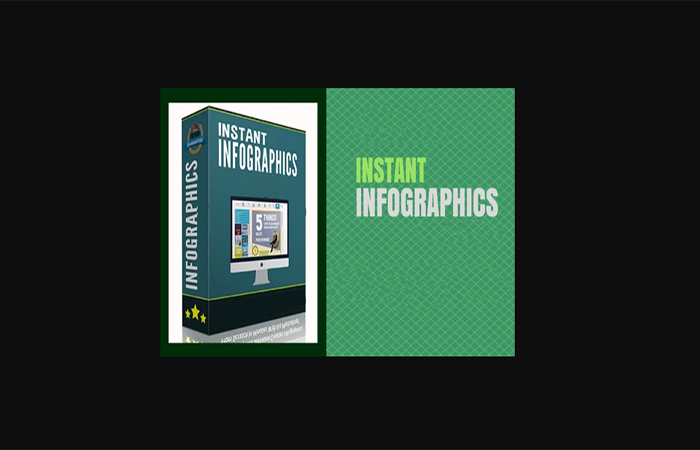
Instant Infographics
Instant Infographics Review – Create viral AI infographics in seconds using simple ChatGPT prompts.
What Is Instant Infographics?
Creating eye-catching infographics normally takes time, design experience, expensive software, and a lot of patience. Most marketers end up stuck inside Canva for hours trying to align elements, choose fonts, fix spacing, and make everything look professional.
That’s exactly the problem Instant Infographics aims to solve.
Instant Infographics is an AI-powered software bundle designed to help users create scroll-stopping infographic graphics using ChatGPT. Instead of manually designing graphics, users simply generate specialized prompts inside the software, paste them into ChatGPT, and receive polished infographic-style graphics almost instantly.
The bundle actually includes two separate tools:
1. Instant Infographics
This tool focuses on keyword-based infographic generation. Users enter any niche, topic, keyword, pain point, or idea, and the software generates 30 infographic prompt styles ready to use with ChatGPT.
2. Instant Infographic Ads
This second software is designed specifically for marketers and affiliates. Instead of using keywords, users paste in offer details or sales page content to generate promotional infographic ads tailored to that specific product or service.
The entire process is intentionally simplified. There are no complicated dashboards, drag-and-drop editors, or graphic design skills required. The software acts as a prompt-generation engine that produces optimized prompts engineered to create premium-looking infographics through ChatGPT.
Users can create:
- Affiliate marketing graphics
- Social media infographics
- Pinterest visuals
- Blog graphics
- Promotional infographic ads
- SaaS product visuals
- Coaching offer graphics
- Lead generation creatives
- Educational infographic posts
One of the strongest selling points of Instant Infographics is speed. According to the vendor, users can generate completed infographic graphics in under 60 seconds with zero editing required.
For marketers who want more visual content without hiring designers or spending hours editing graphics, this Instant Infographics Review shows why the software is attracting attention in the AI marketing space.
Features and Benefits
Instant Infographics comes loaded with features focused on simplicity, automation, and rapid content creation.
Dual Software Bundle
Instead of offering a single tool, users receive two separate applications:
- Instant Infographics
- Instant Infographic Ads
This gives users flexibility for both general content creation and product promotion.
30 Infographic Prompt Styles
The first software generates 30 different infographic structures including:
- Checklist infographics
- Roadmap infographics
- Cheat sheet infographics
- Before vs after visuals
- Decision trees
- Matrix layouts
- Myth vs truth graphics
- Survival guide infographics
These formats help users create varied content that feels fresh and engaging.
20 Promotional Infographic Ad Styles
The second software focuses on sales and marketing content with layouts like:
- Feature-to-benefit infographics
- Offer snapshots
- Transformation visuals
- Buyer confidence graphics
- Value stack infographics
- Use-case infographics
This makes it useful for affiliates, agencies, and product creators.
ChatGPT Integration
The software works directly with ChatGPT prompts. Users simply copy and paste prompts generated by the software into ChatGPT to receive finished infographic graphics.
No Design Skills Needed
One of the biggest advantages is accessibility. Users do not need:
- Photoshop
- Canva expertise
- Design experience
- Copywriting skills
- Image editing knowledge
Everything is designed around simple copy-and-paste functionality.
Light & Dark Modes
Users can choose between light or dark infographic backgrounds depending on branding preferences or platform requirements.
Optional Call-To-Action Footer
The software allows users to add:
- Website URLs
- Social handles
- YouTube channels
- “Link in comments”
- CTA messages
This helps transform infographics into traffic-generating assets.
Unlimited Usage
There are no usage caps, subscriptions, or monthly limitations mentioned. Users receive lifetime access and can generate as many infographic prompts as they want.
Speed and Efficiency
Instead of spending hours creating graphics manually, users can produce large volumes of visual content quickly for:
- TikTok
- Blogs
- Affiliate campaigns
This makes Instant Infographics especially attractive for content marketers who need consistent output.
How Does It Work?
The workflow behind Instant Infographics is intentionally simple.
Step 1: Choose Your Goal
Users first decide whether they want:
- General niche infographics
or - Offer-specific infographic ads
This determines which software they use.
Step 2: Enter a Keyword or Offer
For Instant Infographics, users enter:
- A niche
- Topic
- Pain point
- Keyword
- Industry idea
Examples include:
- Weight loss
- Affiliate marketing
- TikTok growth
- Dog training
- Manifestation
- Relationships
For Instant Infographic Ads, users instead enter:
- Product title
- Offer name
- Sales page content
- Landing page information
Step 3: Choose Design Style
Users select either:
- Light background
or - Dark background
This controls the overall visual style of the generated infographic.
Step 4: Add Optional CTA
Users may add:
- Website links
- Social media usernames
- “DM Me”
- Link instructions
- Promotional calls-to-action
These appear within the infographic design.
Step 5: Generate Prompt Templates
The software instantly creates multiple infographic prompt structures optimized for ChatGPT image generation.
Step 6: Copy & Paste Into ChatGPT
Users copy one prompt and paste it into ChatGPT.
For offer-based infographics, ChatGPT may request the sales page copy after the initial prompt.
Step 7: Receive Finished Infographic
ChatGPT generates the completed infographic graphic automatically.
The entire process removes traditional design bottlenecks such as:
- Layout creation
- Graphic editing
- Typography selection
- Manual formatting
This allows users to focus entirely on publishing content instead of designing it.
The workflow is particularly useful for affiliate marketers and social media creators who need large amounts of visual content consistently.
Who Is It For?
Instant Infographics is designed for a wide range of online users who want visual content without technical complexity.
Affiliate Marketers
Affiliates can quickly turn sales pages into engaging infographic ads for:
- WarriorPlus
- JVZoo
- ClickBank
- Amazon offers
- SaaS promotions
Social Media Creators
Users posting on:
- TikTok
- Pinterest
can rapidly create attention-grabbing visual content.
Coaches & Consultants
Coaches can create educational infographics, lead magnets, and promotional visuals for their services.
Bloggers
Blog owners can enhance articles with infographic content to improve engagement and shareability.
Small Business Owners
Businesses that struggle with graphic design can create professional-looking visuals without hiring designers.
Agencies
Marketing agencies can scale content creation for clients faster using AI-generated infographic workflows.
Beginners
Because the software removes most technical requirements, beginners can start generating polished graphics immediately.
This Instant Infographics Review shows the software is especially valuable for users who prioritize speed, simplicity, and consistent visual content production.
Why Choose Instant Infographics?
The biggest reason many users will choose Instant Infographics is convenience.
Traditional infographic creation is slow. Most people either:
- Hire expensive designers
- Spend hours learning Canva
- Use complicated design software
- Avoid creating graphics altogether
Instant Infographics removes those barriers completely.
Speed
Users can create graphics in under a minute.
Simplicity
The copy-and-paste workflow makes the software extremely beginner-friendly.
Versatility
It works across virtually any niche, topic, or market.
Marketing Focus
Unlike generic AI tools, this software is specifically optimized for:
- Social engagement
- Attention-grabbing visuals
- Promotional content
- Affiliate marketing
No Monthly Fees
The lifetime-access model may appeal to users who dislike recurring subscriptions.
AI-Powered Efficiency
Instead of replacing ChatGPT, the software enhances it by generating highly optimized infographic prompts.
Content Scalability
Users can produce large quantities of graphics quickly for:
- Multiple social channels
- Affiliate campaigns
- Client projects
- Lead generation funnels
For marketers looking to increase content output while reducing design time, Instant Infographics offers a practical shortcut.
Funnel Details
Front-End Offer
- Instant Infographics + Instant Infographic Ads Bundle
- Includes lifetime access
- 30 infographic prompt styles
- 20 infographic ad prompt styles
- Light and dark modes
- Unlimited usage
Pricing
- Regular Price: $297
- Early Bird Price: $197
- Sales Price $9.95
FAQs
1. What is Instant Infographics?
Instant Infographics is an AI-powered software bundle that generates infographic prompts for ChatGPT, allowing users to create infographic graphics quickly.
2. Do I need graphic design skills?
No. The software is designed for beginners and requires no design experience.
3. Does this work with ChatGPT?
Yes. The software creates prompts specifically intended for use inside ChatGPT.
4. Can I use it for affiliate marketing?
Yes. The Instant Infographic Ads software is built specifically for promotional content and affiliate offers.
5. Is Canva required?
No. The system avoids manual design tools entirely.
6. Are there monthly fees?
The sales page promotes lifetime access with no recurring subscription fees.
7. What platforms can I create content for?
You can create graphics for:
- TikTok
- Blogs
- Websites
- Marketing campaigns
8. Can beginners use Instant Infographics?
Yes. The workflow is intentionally simplified for non-technical users.
Conclusion & Call To Action
This Instant Infographics Review demonstrates how the software simplifies one of the most frustrating parts of online marketing: creating visual content consistently.
Instead of spending hours inside design tools, users can generate infographic graphics using simple ChatGPT prompts in minutes. The dual-software approach makes it useful for both general content creation and offer promotion.
For affiliate marketers, social media creators, bloggers, coaches, and online businesses, Instant Infographics offers a fast and beginner-friendly way to create scroll-stopping graphics without design skills.
If you want a quicker way to produce engaging infographic content powered by AI, Instant Infographics is worth considering.
See More Of Our Themes, Templates and Plugins Here


Reviews
There are no reviews yet.